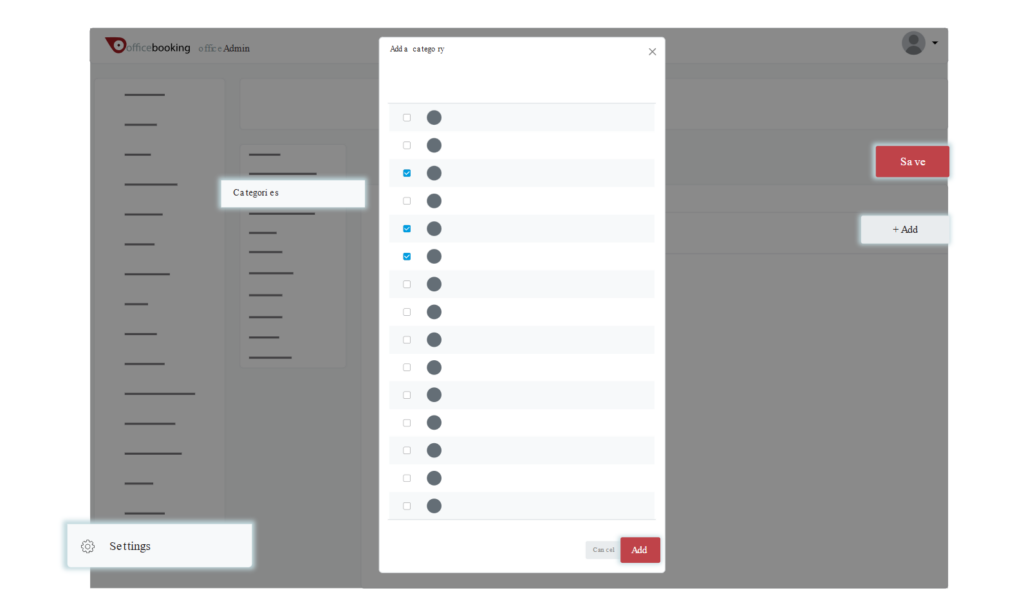
As an Admin user, you can add a new category from the general categories list in OfficeAdmin.
- Go to Settings.
- Navigate to Categories.
- Click the Add button.
- Select a category from the list.
- Click Save.
After saving the chosen category, you can upload an image for it.